
Power Platform Dev Weekly #286


Welcome to the Power Platform Developers Weekly!
Over the past few weeks, it’s been great to see just how active the Power Platform developer community continues to be — from new tools being shared, to deep-dive blog posts, GitHub releases, and helpful answers across forums and social channels. This ecosystem moves fast, and much of that momentum comes directly from community contributions. Hopefully this issue helps you discover something new and keeps you moving forward on your own projects.
And as a reminder, here’s a shoutout to one of the active community spaces worth joining — PP LevelUp on Discord. It’s a great place for deep technical discussions, while still being welcoming to newer developers asking questions and getting started. There’s even a fun #off-topic channel to keep things light in an otherwise fast-paced and intense Power Platform world.
Microsoft feature releases and announcements
Public preview of the new usage page in the Power Platform admin center
Power Pages Client API (Preview): Native Client-Side Library for Forms and Data
We need to follow more content creators. If you know anyone who writes blogs or creates videos, please fill out the form on their behalf provided on this website so we can start tracking them.
We hope you enjoy the content of this week.
— PP Dev Weekly Team
🥇 Cover Story

MobX State Management for Power Apps PCF Controls: Your Complete Guide 2026
by Zsolt Zombik
Zsolt delivers a comprehensive guide to using MobX for state management in PCF controls, walking through a real-world contact form example with ViewModels, automatic computed values, and validation while comparing it to modern alternatives like Zustand for different use cases.
💎 Model Driven Apps & Dataverse
The Managed Solution Trap: Fixing Column Prefix Mistakes in Dataverse
by Ameed Sheikh
Ameed shares a hard-earned lesson on fixing column prefix mistakes in managed Dataverse solutions.
🏋️♂️ Canvas Apps
Custom menu components for navigation or a Toolbar control?
by Pieter Veenstra
This post demonstrates how the modern Toolbar control simplifies creating professional menus with icons and customizable button styles.
🌎 Power Pages
Power Pages: Data Change Request Architecture
by Nicholas Hayduk
An approach for handling critical data updates in Power Pages by creating a separate change request table with approval workflows, using JavaScript and Liquid to prefill forms and handle concurrent requests seamlessly.
🤖 Copilot
Connect To Dataverse Knowledge In Copilot Studio
by Matthew Devaney
Matthew demonstrates how to connect Copilot Studio agents to Dataverse tables for natural language searches, showing how to enhance results with column descriptions, synonyms, and a data glossary using a real estate listings example.
Copilot Studio Search Multiline Text & File Dataverse Fields
by Matthew Devaney
Matthew explains how to enable Copilot Studio’s unstructured search capabilities for Dataverse multiline text and file columns by configuring column settings and making them available to search by agent.
😎 Power Automate
by Amey Holden
Using the Email Export API in Power Automate to capture exact copies of sent emails from Customer Insights Journeys for compliance and record-keeping.
Convert CSV files to JSON in Power Automate
by Pieter Veenstra
A modern approach to converting CSV files to JSON in Power Automate using the Run a Prompt action and slice function, avoiding the messy comma-splitting and line-breaking expressions from the old methods.
🚀 PCF & Custom Pages
Create and View Related Records from a Custom Page
by Megan V. Walker
A walkthrough on building a custom page that lets users create and view related records while preventing duplicates using collections and smart validation.
🔨 Tools & Components
by Carl Cookson
Carl introduces the Environment Manager for Power Platform ToolBox, a modern React-based reimagining of his XrmToolBox OrgSettings Tool that lets you view, compare, and edit under-the-hood Power Platform environment settings across one or two environments with a sleek dark mode interface.
by Mark Carrington
Mark announces SQL 4 CDS v10.3 with enhanced Copilot features supporting multiple AI providers, AI-powered autocomplete suggestions, and a new sponsorship option offering free AI credits for GitHub sponsors.
👩💻 Dev to the Core
Dataverse: Get best Threads and Rows Count
by Temmy Wahyu Raharjo
Temmy shares C# code for automatically finding the optimal thread count and batch size for pushing data to Dataverse.
How to restrict Unwanted Power Automate flow execution
by Inogic
A technical guide showing how to bypass Power Automate flow execution during Dataverse SDK operations by using the SuppressCallbackRegistrationExpanderJob parameter.
🎮 Other Interesting Articles
Create Hierarchy Overview Of Compliance Setup In Customer Insights – Journeys - Megan V. Walker
Advanced Journey Logic: Evaluating Specific Form Fields in Customer Insights - Megan V. Walker
Use The Dynamics Environment Default Theme In Your Custom Pages - Megan V. Walker
Why We Switched Our Plugin from PreOperation to PreValidation – Dataverse / Dynamics 365 - Nishant Rana
Advancing and Finishing a BPF Using RetrieveProcessInstancesRequest and RetrieveActivePathRequest (Dataverse / Dynamics 365) - Nishant Rana
🎥 Videos
🔊 Podcasts
In this podcast episode, Nick Doelman and Ulrikke Akerbæk discuss their experiences with the Arctic Cloud Developer Challenge 2026, covering Nick’s solution using prompt columns in Dataverse, and introduce the Power Platform ToolBox - a new desktop application for the Power Platform community.
🤳Socials of the week
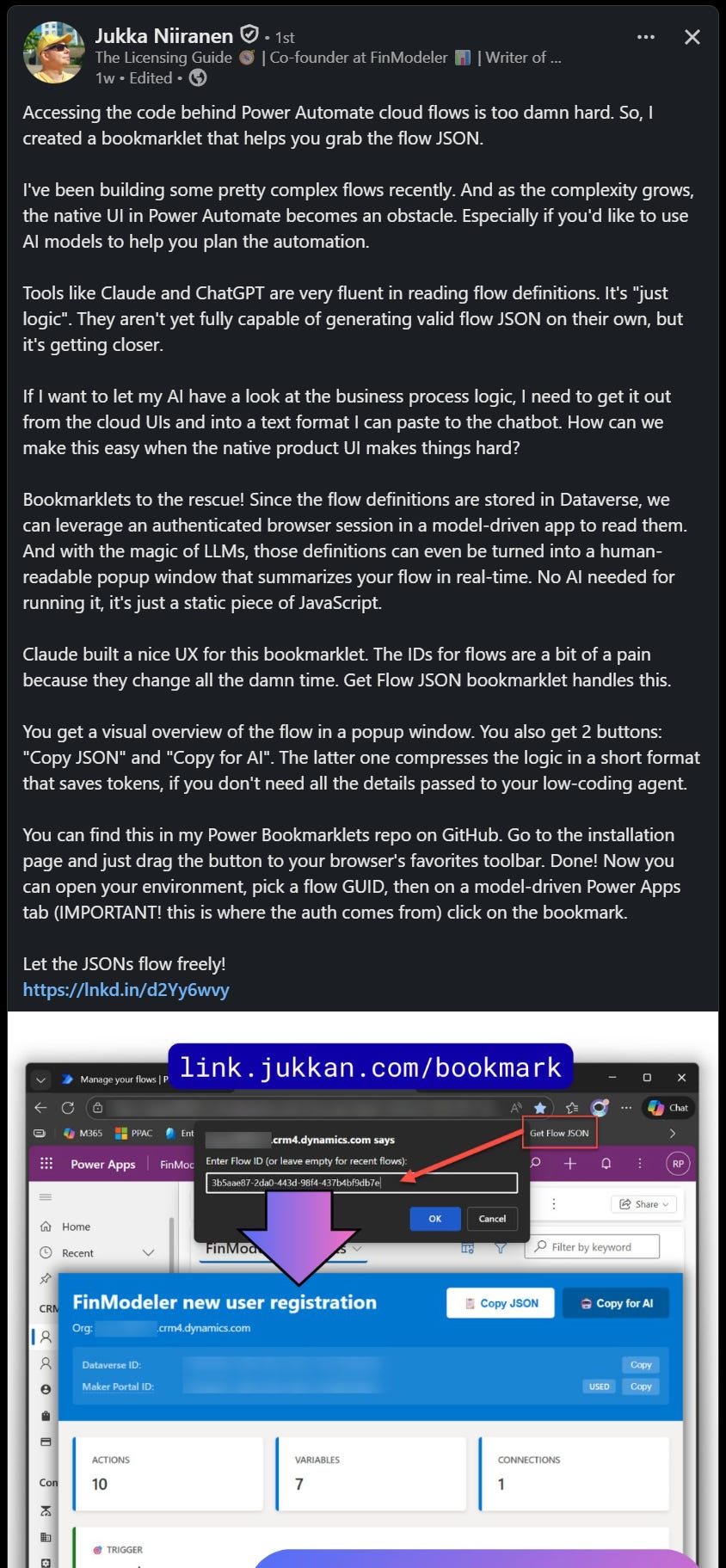
✨ Thanks for reading
If you’re enjoying this newsletter, it would mean a lot to share it with your friends & colleagues and ask them to subscribe to it.