
Power Platform Dev Weekly #288


Welcome to the Power Platform Developers Weekly!
Sorry it has hit your inboxes late, life gets in the way!
Another fortnight has passed and more and more the developers’ life is shifting to using AI. We want to hear more perspectives on what this means to you, contact us with your articles and blogs to keep everyone informed.
Microsoft feature releases and announcements
Build Power Pages sites with AI using agentic coding tools (preview)
Computer-using agents now deliver more secure UI automation at scale
We need to follow more content creators. If you know anyone who writes blogs or creates videos, please fill out the form on their behalf provided on this website so we can start tracking them.
We hope you enjoy the content of this week.
— PP Dev Weekly Team
🥇 Cover Story
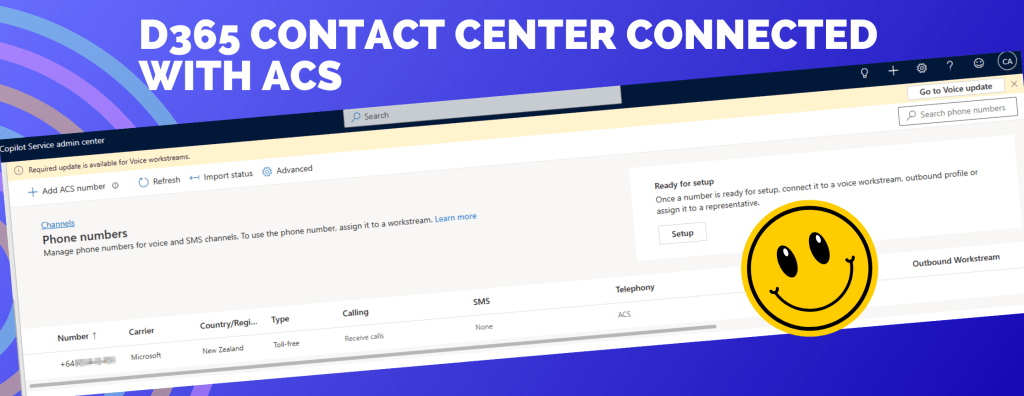
D365 Contact Center: Setup Voice Channel with Azure Communication Services (ACS)
by Jeevarajan Kumar
This two‑part series highlights how Dynamics 365 Contact Center modernizes voice engagement by leveraging Azure Communication Services, ensuring businesses can handle high‑priority and complex customer interactions at scale.
Part 1 outlines the core architecture and readiness steps required to activate voice as a native channel within D365 Contact Center.
Part 2 deepens the story by showcasing how event‑driven integration using Azure Event Grid enables seamless call routing, recording, and SMS handling—creating a resilient, enterprise‑grade voice experience.
💎 Model Driven Apps & Dataverse
Mastering Dataverse Bulk Delete – Automating and Monitoring Your Cleanup Jobs
by Kailash Ramachandran
In this article, Kailash talks about how to schedule, automate, and monitor bulk delete jobs in Dataverse using the UI or programmatically via the SDK/Web API.
How to Implement QR Code Generation in Dynamics 365 SSRS Reports
by Inogic
A interesting read about how adding dynamic QR codes to Dynamics 365 SSRS reports is a simple yet powerful enhancement. By combining plugins for automated QR generation with SSRS reporting capabilities, organizations can make transactional documents more interactive and user-friendly.
🏋️♂️ Canvas Apps
Adding Native Confirmation Dialogs with Power Fx function
by Inogic
Before the built-in Confirm() function existed, adding a simple yes/no confirmation in Power Apps required significant manual effort.Fortunately, the new Power Fx Confirm() function fixes this headache. Read this blog to know how you could use the Confirm() function.
🌎 Power Pages
The end of Power Pages? (As we know it?)
by Nick Doelman
Power Pages single page applications do provide an ability to build powerful and flexible sites, and have the benefits of the Dataverse integration, hosting, and security aspects of Power Pages. Nick talks about his journey in building a website using the Claude code plug-in.
🤖 Copilot & Code Apps
Copilot Studio: Generate PowerPoint File From A Template
by Matthew Devaney
Matthew demonstrates how a built-in Copilot Studio can generate a PowerPoint file using a prompt and return it to the chat window using a real scenarion for teachers creating certificates of completion for their students.
5 Steps to Connect your Vibe Coded Apps with Git
by Pieter Veenstra
Ok, Code Apps are hot at the moment. But which type of Code Apps are we talking about? Have you created your first Vibe Coded App through https://vibe.powerapps.com? Or did you use the Power platform CLI approach?
😎 Power Automate
Copy and Paste in Power Automate Classic vs New UI
by Pieter Veenstra
Copy and Paste has existed for a while in the classic Power Automate UI. With the new UI however there are a few additional features in this area worth to be aware of. Check out this blog from Pieter to know more.
🔨 Tools & Components
Explore Dataverse Tools: FetchXML Formatter Online by Arun Potti
by Arun Potti
Working with FetchXML can sometimes get messy – especially when dealing with long, nested queries. To make this easier, Arun has created a new Online FetchXML Formatter. This tool automatically beautifies and structures your FetchXML, making it more readable and developer‑friendly. A must read for Dataverse / Dynamics 365 CE developers.
👩💻 Dev to the Core
How to make Deep Links with Code Apps and call them from Model Driven Apps
by Diana Birkelbach
Diana shares her experience with developing Code Apps: it’s about creation of complete Apps using Code (React), and hosting it inside Power Apps, while getting the data connections and the security taken care for you.
🎮 Other Interesting Articles
Power Platform Fundamentals #3: Using Python with Microsoft Dataverse – Step by Step: Quick Read Series - Venkata Subbarao Polisetty
Managing Entra Agent Identities for Copilot Studio - Craig White
🎥 Videos
🔊 Podcasts
✨ Thanks for reading
If you’re enjoying this newsletter, it would mean a lot to share it with your friends & colleagues and ask them to subscribe to it.